

Our Promotion

Save, Сэкономьте, Ahorrar
Registration for the 2026–2027 Academic Year Is Open (24 Aug 2026)

Student and new educator registration for 2026–2027 is now open. The process is direct and simple. Certified Soft Mozart educators and authorized representatives do not need to pay for New Educator Registration.

Technical Questions

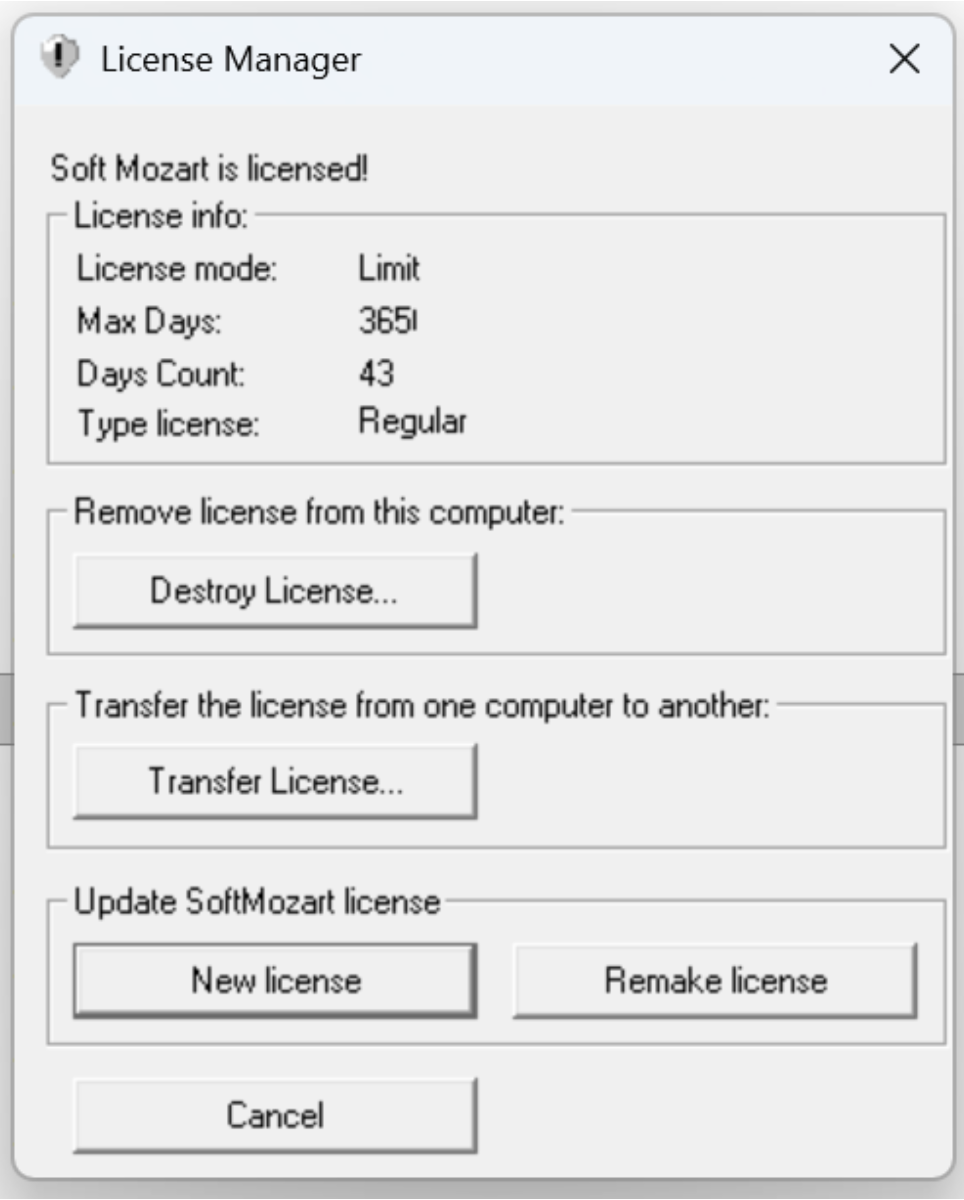
How to transfer your license from one computer to another
More
16 Feb 2026 10:02 #57814 by hellene
 
How to Transfer Soft Mozart to Another Computer
Step 1 – On the OLD Computer

    Open License Manager.

    Click Transfer License… under
    “Transfer the license from one computer to another.”

A transfer window will appear.
Step 2 – On the NEW Computer

    Install Soft Mozart.

    Open any module.

    Copy the long Registration ID displayed.

Step 3 – Back to the OLD Computer

    Paste the Registration ID from the new computer into the transfer window.

    Click Transfer.

    The program will generate an Activation Key.

Step 4 – Activate on the NEW Computer

    Enter the generated Activation Key on the new computer.

    The license will be transferred successfully.


Back to the Mozart

Please Log in or Create an account to join the conversation.

Time to create page: 0.402 seconds